
How to Search Cases by Name
Match the name to the right court first. That single step saves the most time. Ashland Municipal Court is the clearest no-login starting point. It covers municipal criminal, traffic, civil, and small-claims matters. Common Pleas links an official Case Search destination. Probate runs on CaseLook after an agreement screen. Juvenile files deserve extra caution, since many are closed to the public. Ohio publishes no statewide unified trial-court case search. An Ashland County case lookup always goes court by court.
- Identify whether the matter is municipal, Common Pleas, Probate, or Juvenile.
- For a municipal matter, open the court-linked GovRec Criminal or Civil Search tab.
- Enter the required first and last name; add date of birth when the Criminal Search allows it.
- Use the case type, court date, or citation notice to distinguish similar names.
- Ask the appropriate clerk to confirm a time-sensitive result, a missing entry, or a record request.
A name match is navigation help, nothing more. It is not a certified court record. When a case fails to appear online, the cause may be a delay, a restriction, an older file, or a simple search mismatch, and the court may limit remote access in any event.
Ashland County Municipal Case Lookup Fields
The court-linked GovRec portal splits its tools into a Criminal Search and a Civil Search. Its public screens are detailed. No other Ashland County source spells out the search fields as fully. One caveat applies. The court says it is moving to a new case-management system. If a screen changes or an accessibility barrier blocks you, the Clerk is the practical fallback.
| Search tab | Search choices | Required information |
|---|---|---|
| Criminal | Name, Citation/Ticket, Case Number, Court Date, Filed Date | Name needs first and last name; date searches need start and end dates. |
| Civil | Name, File Date, Court Date, Case Number | Name needs first and last name; File Date needs start and end dates; Court Date uses a start date. |
| Both tabs | Display Closed Cases | Optional filter; dates use the displayed MM-DD-YYYY format. |
For a criminal ticket, the instructions allow a name plus date of birth or a ticket number, with a Details selection for more information. The portal's public screens say nothing about a citation format, result columns, or download scope. No universal document catalog appears either. Do not assume those items exist.
Ashland County Case Lookup Court Choice
Pair each Ashland County case type with its court. Municipal Court holds municipal, traffic, civil, and small-claims matters, while Common Pleas, Probate, and Juvenile keep the division files. A dead end at one portal is not a negative result.
How to Search Cases by Case Number
A case number cuts through the guesswork that comes with a common name. Common Pleas local rules describe the format. The number starts with a year prefix. Then comes an alphabetical case-type designation, and a sequence that resets each year. The general shape is YYYY-TYPE-####. The court publishes no legend of shorthand codes, though. Copy the number exactly as it appears on a court notice instead of guessing a code. GovRec puts a Case Number field in both municipal tabs. Its public screens offer no format legend. A citation number goes with the Criminal Citation/Ticket choice, never the Civil tab. CaseLook may miss an older Probate item. If so, tell the Public Records Clerk the nature of the proceeding and its approximate year.
Ashland County Common Pleas Case Lookup Limits
Ashland Common Pleas keeps everything in one place. Case Search, the court calendar, and e-filing links sit on one official hearing page. The Case Search entrance sits behind a JavaScript session layer. No query fields load until that session runs. That says nothing about whether records exist. It only means the public entrance will not promise a field list, result columns, documents, or date coverage for a docket search.
For a verified Common Pleas court record, go through the Clerk Legal Division. That includes any entry the online docket does not show. The Clerk warns that filing and action data can lag by at least 24 hours. Sometimes the delay runs longer. Registered users can file, review, and retrieve documents through eServices. The clerk still decides what gets accepted. That login workflow serves filers rather than the general public. It is no substitute for an open case lookup form.
The official Case Search entrance opens the court's eServices page. The session layer runs there before any search controls appear. Treat anything a live Ashland County docket search returns as a starting point. When confirmation matters, ask the Clerk.
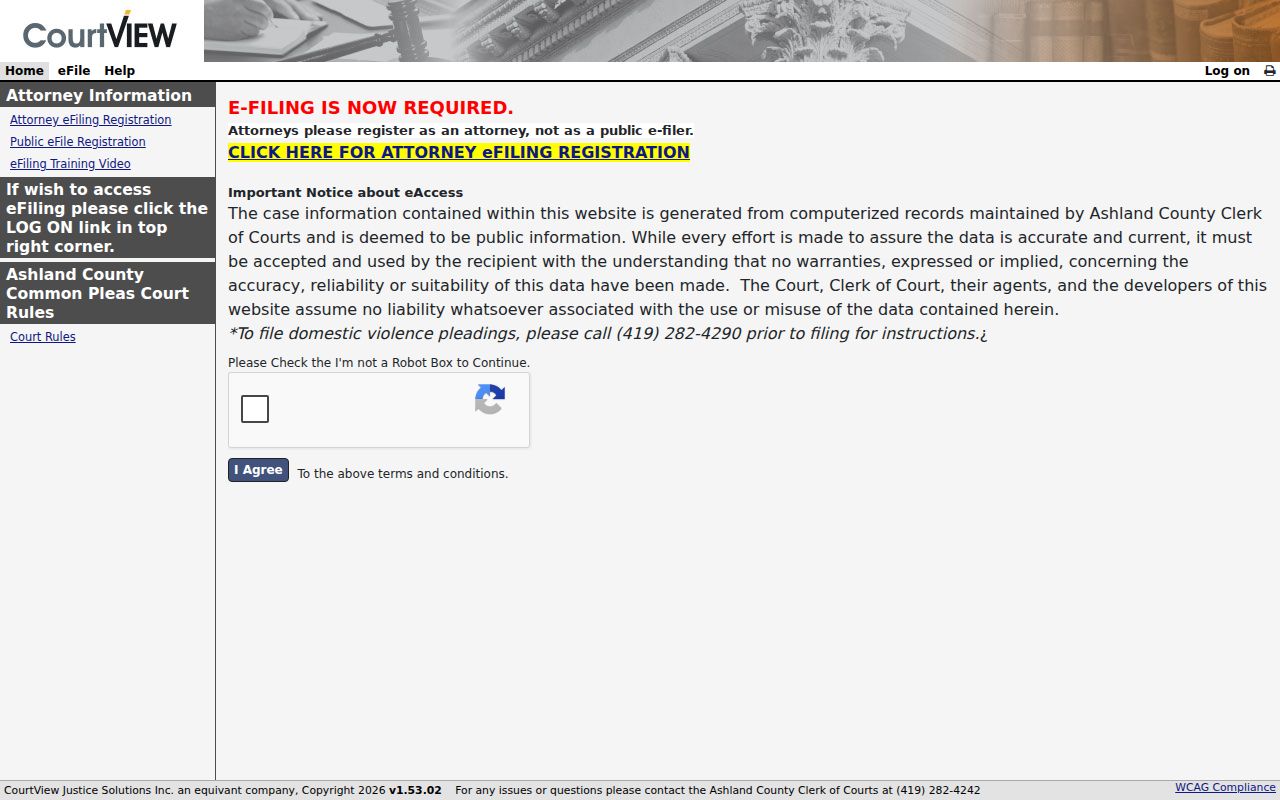
The official page confirms where the court sends searchers. It does not promise any query field or record display behind the session layer. The eServices sign-in page is also official, because document retrieval and filing run on a registered-user workflow rather than a general public query form.
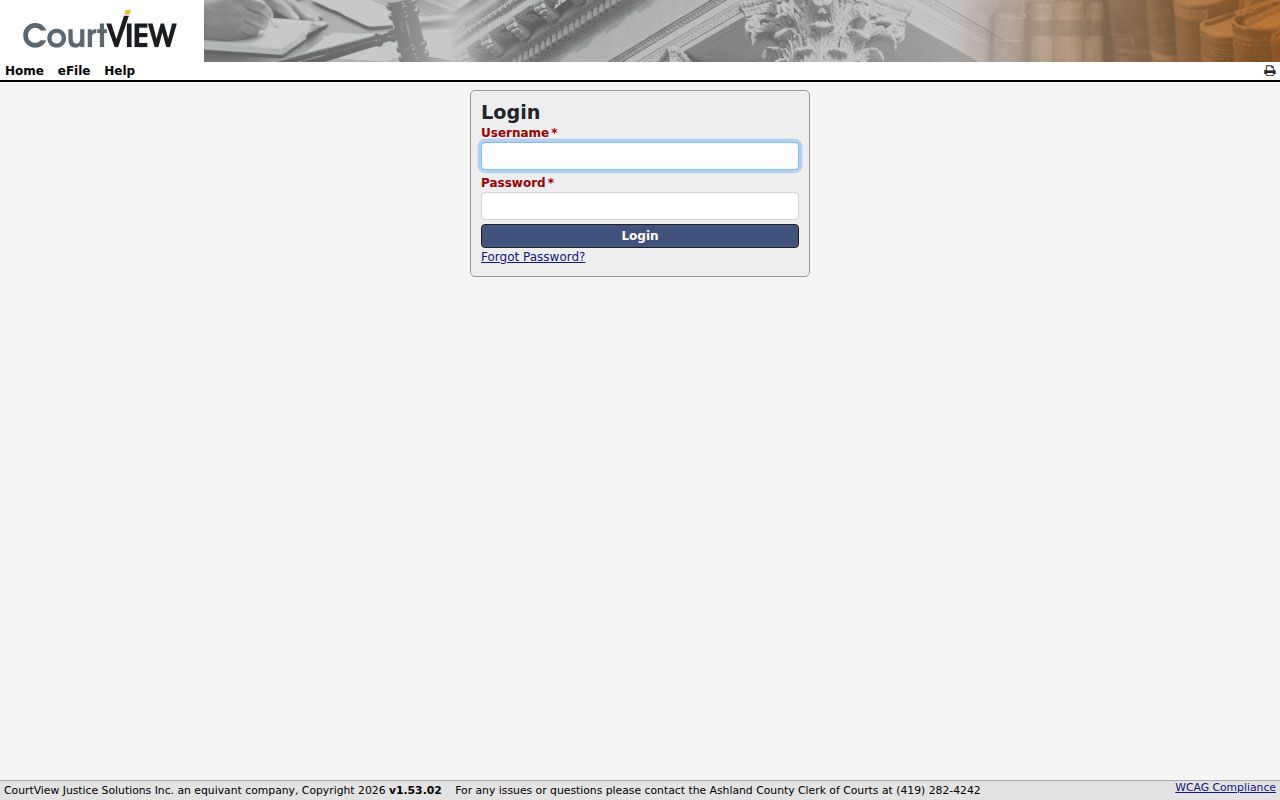
The sign-in screen marks the line between public case search and registered eServices access. The Clerk remains the verified-record channel either way.
Ashland County Case Lookup File Boundary
An Ashland County case lookup can point you to a docket path, but it does not hand over the whole file. Document and certified-copy requests go to the clerk of the proper division. Use the search result to pin down the case number, the document title, and the division before you call.
What a Case Search Shows
Search screens and docket entries do a narrower job than a full file. An Ashland County court docket records actions. Think filed papers, orders, settings, and status changes. A date or entry title can point you toward the next court event. It is not the underlying document or a certified copy. Person-specific search results tell you little else. They are not the place to catalogue which fields a portal returns.
| Case number | The court’s identifier, useful when requesting a record or checking the correct division. |
|---|---|
| Caption | The case title identifying the sides in a civil case or the prosecuting authority and defendant in a criminal matter. |
| Filed date | The date a case or document was filed or entered, which may differ from the underlying event date. |
| Court date | A scheduled hearing or appearance, not a guarantee that the setting will remain unchanged. |
| Entry or status | A recorded court action or current label; an entry is not automatically a final judgment. |
For a document, transcript, or certified item, ask the division that holds the file. Common Pleas local rules treat electronic versions, whether e-filed or scanned, as official court records.
Ashland County Probate Case Lookup Access
Ashland County Probate and Juvenile Court offers Probate CaseLook as its official online lookup. You have to accept an agreement before searching. The page itself states that online data covers 1996 to present. Some records are excluded, and delays are possible. Nothing past that screen can be assumed. So do not infer a name-search format or document availability from the site alone.
Older files need the Probate and Juvenile Public Records Clerk. Probate records are generally open. Court policy still restricts civil commitments and adoption reports. Juvenile records are generally not public. Specific categories carry their own access rules. CaseLook does not change any of that.
The CaseLook agreement page spells out the coverage boundary before any query starts.
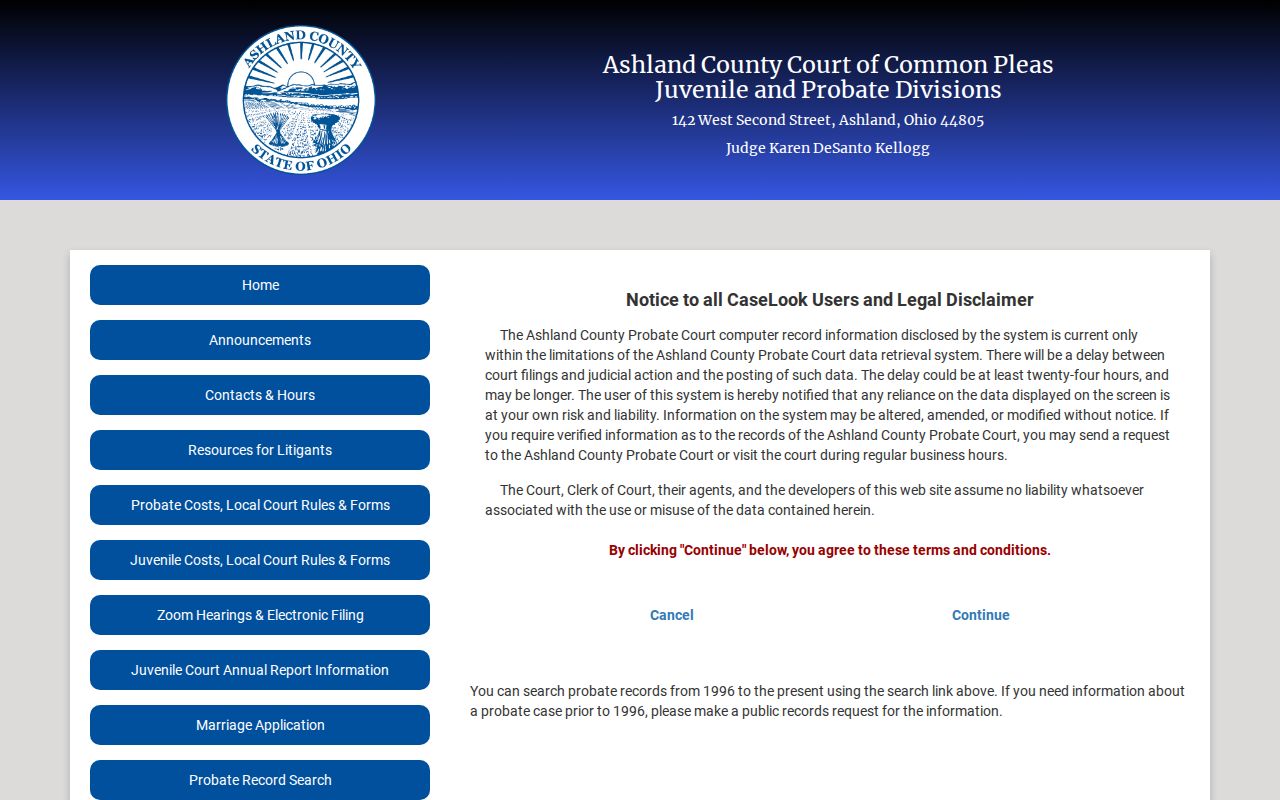
That agreement screen backs up the 1996-forward coverage. For anything older or restricted, the division's clerk remains the route.
County vs Statewide Case Search
Ohio has no single statewide public trial-court docket search that replaces local portals. An Ashland County case lookup works only through the court that owns the case. Common Pleas handles General and Domestic Relations matters. Probate and Juvenile cover their own divisions. Ashland Municipal Court takes its criminal, traffic, civil, and small-claims cases. Ohio eStats is official, but it reports aggregate statistics rather than case-level dockets.
| Need | First route | Important limit |
|---|---|---|
| Common Pleas case or date | Common Pleas Case Search or Court Calendar | Reviewed entrances use a session bootstrap; Clerk confirms records. |
| Probate case | CaseLook | 1996 forward statement; exclusions and delay apply. |
| Municipal case or ticket | GovRec | Search and eligible payment are not a filing channel or certified-copy service. |
Ashland County Case Lookup Missing Results
A missing Ashland County result has many possible causes: a session limitation, an older file, a court or division mismatch, delay, sealing, or a remote-access limit. By itself it proves nothing. For a specific Common Pleas, Probate, Juvenile, or Municipal matter, ask the office that holds the record whether a public route exists.
Ashland County Case Search Delays
A portal result is never the court's final word. The Ashland County Clerk's online-record notice says the data comes as-is. Filings or actions may be delayed at least 24 hours, sometimes longer. Calendars can change, and notices go to parties and counsel. Confirm any new filing, recent order, or changed setting with the court or Clerk.
At Municipal Court, a new CMS transition may shift where instructions appear, and the Clerk assists directly with portal-accessibility issues. That is a confirmation route. It does not mean an unreturned search is sealed or that the case does not exist.
Restricted Cases and Access Rules
Ohio court records are presumed open under the Rules of Superintendence. Statutes, court rules, and court orders can override that presumption. Direct access and remote access are not the same thing. A clerk may post a public docket while keeping documents, exhibits, identifiers, or a sealed matter restricted from remote viewing or copying. Common Pleas rules protect personal identifiers and bar sealed material from routine copying.
Ohio access framework: Rules of Superintendence, including Rule 45 govern public court-record access and restrictions. R.C. 2303.12 requires the Clerk’s general docket and addresses electronic access. R.C. 2303.901 excludes identifiers and specified restricted material from the defined electronic documents.
A blank result does not explain itself. It may stem from a sealing order, juvenile confidentiality, a data delay, older records, a remote-access limit, a session issue, or a bad search.
Ashland County Case Lookup Fallbacks
Go to the office that owns the case rather than sending one broad request across county offices. For Common Pleas, contact the Clerk Legal Division at 142 W. Second St., Ashland, OH 44805, or call 419-282-4242 for a verified record or a written request. Probate and Juvenile requests go to that division's Public Records Clerk at 419-282-4216. Municipal Criminal and Traffic questions go to 419-289-8137; Municipal Civil uses 419-281-4890.
Give the case number if you know it, plus the division, the document or order sought, copy type, and delivery preference. Those details help the clerk find a public record and explain any fee or restriction. They do not guarantee that a document is public, available remotely, or ready on the spot.